Tips for Creating a Cosy and Productive Home Workspace

Creating a comfortable and productive home workspace is essential for making the most of your work-from-home days. Whether you spend a few hours or a full workday at your desk, having a space tailored to your needs can boost focus, reduce stress, and even improve your overall wellbeing. Here are some practical tips to help you transform any corner of your home into a cosy and efficient workspace.
Choose the Right Spot
Consider Natural Light
Try to position your workspace near a window where you can enjoy plenty of natural light. Natural light helps reduce eye strain and keeps you energised throughout the day. If natural light isn’t an option, invest in good-quality, adjustable lighting that mimics daylight.
Minimise Distractions
Pick a quiet area where you’re less likely to be disturbed by household noise or foot traffic. If that’s tricky, consider noise-cancelling headphones or soft background music to help maintain concentration.
Invest in Comfortable Furniture
Ergonomic Chair and Desk
Comfort plays a vital role in productivity. A supportive, adjustable chair and a desk at the right height help prevent back and neck pain, allowing you to work comfortably for longer periods.
Add Cushions and Throws
Personal touches like cushions or a soft throw blanket can add warmth and comfort, making your workspace feel inviting. These small additions can also help improve your posture and relaxation during breaks.
Organise Thoughtfully
Keep Essentials Within Reach
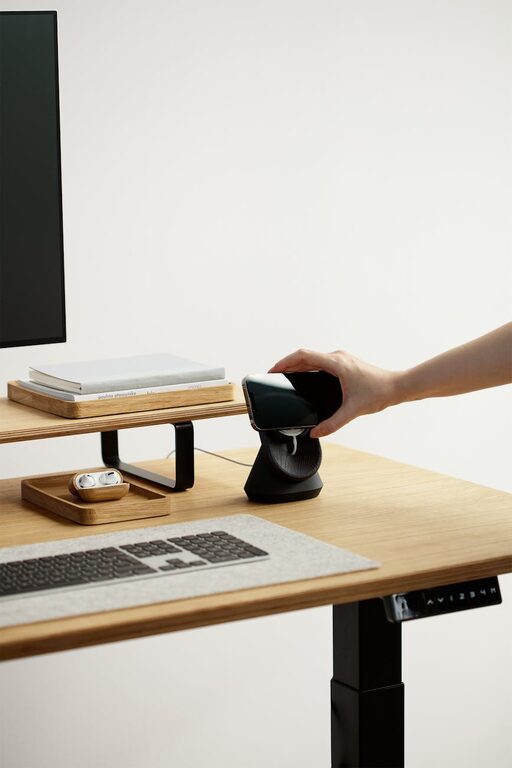
Arrange your desk so that frequently used items—pens, notebooks, charger cables—are easily accessible. Using desk organisers or small trays can help keep your space tidy and minimise clutter.
Declutter Regularly
A clear workspace can lead to a clear mind. Make it a habit to tidy your desk at the end of each day, putting away items that are not needed for the next session.
Personalise Your Environment
Adding personal touches can make your workspace feel more enjoyable and motivating.
– Plants: Small potted plants or succulents can brighten up your desk and even improve air quality.
– Artwork or Photos: Hang a favourite picture or artwork nearby to inspire you or bring comfort.
– Scent: Use subtle, natural scents like lavender or eucalyptus via a diffuser to create a calming atmosphere.
Optimise Technology and Connectivity
Make sure your internet connection is stable and your devices are up to date. Position your computer screen at eye level to reduce neck strain. Consider using a separate keyboard and mouse if you work on a laptop for long stretches.
Create a Routine and Take Breaks
A well-designed workspace helps, but it’s also important to develop good work habits.
– Set Regular Hours: Keep consistent start and finish times to maintain a healthy work-life balance.
– Use Break Reminders: Take short breaks every hour to stretch, move around and rest your eyes.
– Designate Break Zones: If possible, step away from your workspace during breaks to recharge.
Use Colour and Lighting to Boost Mood
Colour Choices
Soft, calming colours such as blues, greens, and neutrals can reduce stress and promote focus. If you prefer energetic hues, accents of yellow or orange can add warmth and creativity.
Lighting Layers
In addition to your main light source, consider task lighting like adjustable desk lamps and softer background lights to reduce contrast and eye strain during early mornings or late evenings.
Maintain Good Air Quality
Fresh air can improve concentration and comfort. Open a window occasionally if you can, or consider a small air purifier to ensure the air in your workspace stays clean and fresh.
—
Final Thoughts
Crafting a home workspace that blends comfort with productivity doesn’t have to be complicated or expensive. By choosing the right location, focusing on comfort and organisation, and adding personal touches, you can create a space where you’ll enjoy spending time and get more done. Remember, the key is to tailor your workspace to your own needs and preferences — a cosy, inviting environment can make working from home a truly positive experience.